

X-SPLEX Features
We provide sales listings of logistical equipment, heavy machinery, material handling, services, and freight services. Members can interact with these sales listings to buy the products or services and more.
Members can add listings to their Watchlist and can save Sellers to their Following List. Check out more features below!
Members can add listings to their Watchlist and can save Sellers to their Following List. Check out more features below!
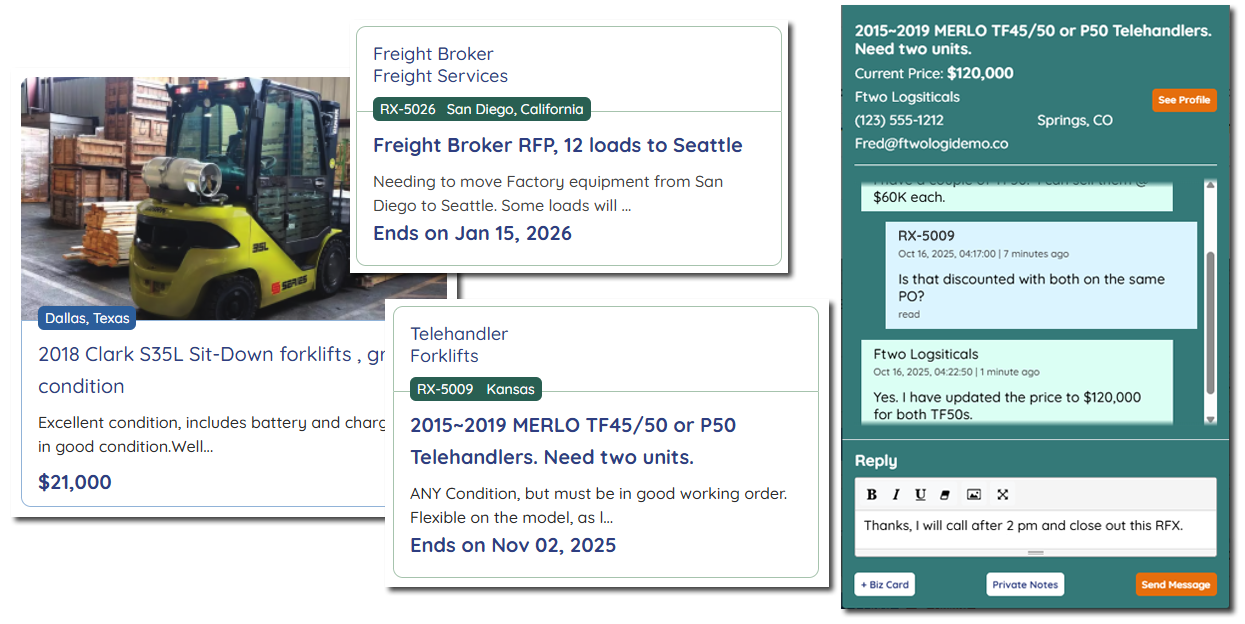
Responding to Sales and RFX listings: (Request For Quote, etc) allows end users and Sellers to discuss a product or services that is needed.
RFX posters are anonymous until they choose to share their contact info with the seller they’re going to do business with. The type of member is shown on the RFX listing as “End User”, “Dealer” or “Service Provider”.
Only active subscribers can respond and send quotes to RFX listings.
RFB listings: (Request For Bid)
Allows end users to post equipment they need a professional to evaluate and/or buy from them. Only subscribed sellers can view and respond to RFB listings.
Allows end users to post equipment they need a professional to evaluate and/or buy from them. Only subscribed sellers can view and respond to RFB listings.
If it's a single piece of equipment related to business, or a whole warehouse needs to be liquidated, then RFB is for you!
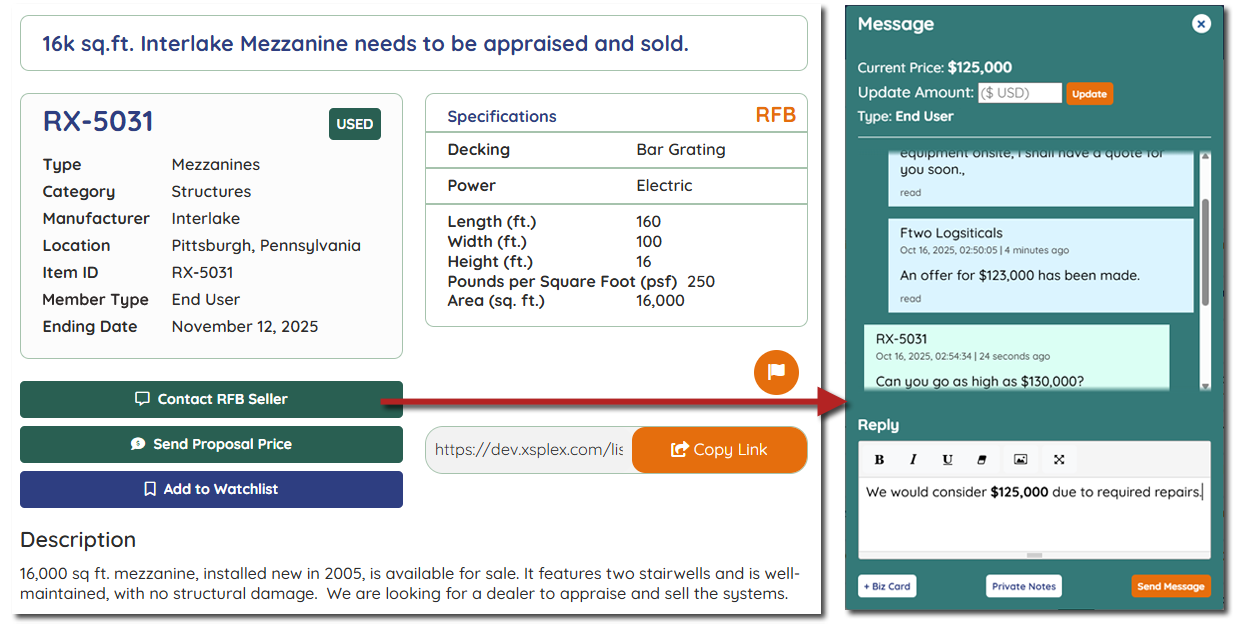
X-SPLEX Messaging: Our messaging is only for Listings, which means initial contact is specific to the equipment or services that are listed. This keeps the conversation down to a single message thread per interested contact.
A new message is initiated by the buyer choosing what they want to discuss or buy from a seller. Within RFX and RFB, only the subscribed sellers can initiate a connection to an RFX/RFB listing for more information or submit a quote, etc.
Members can prioritize these messages or remove them. Also, either party can exit a conversation without the other party being able to send further messages.
Messaging Examples:
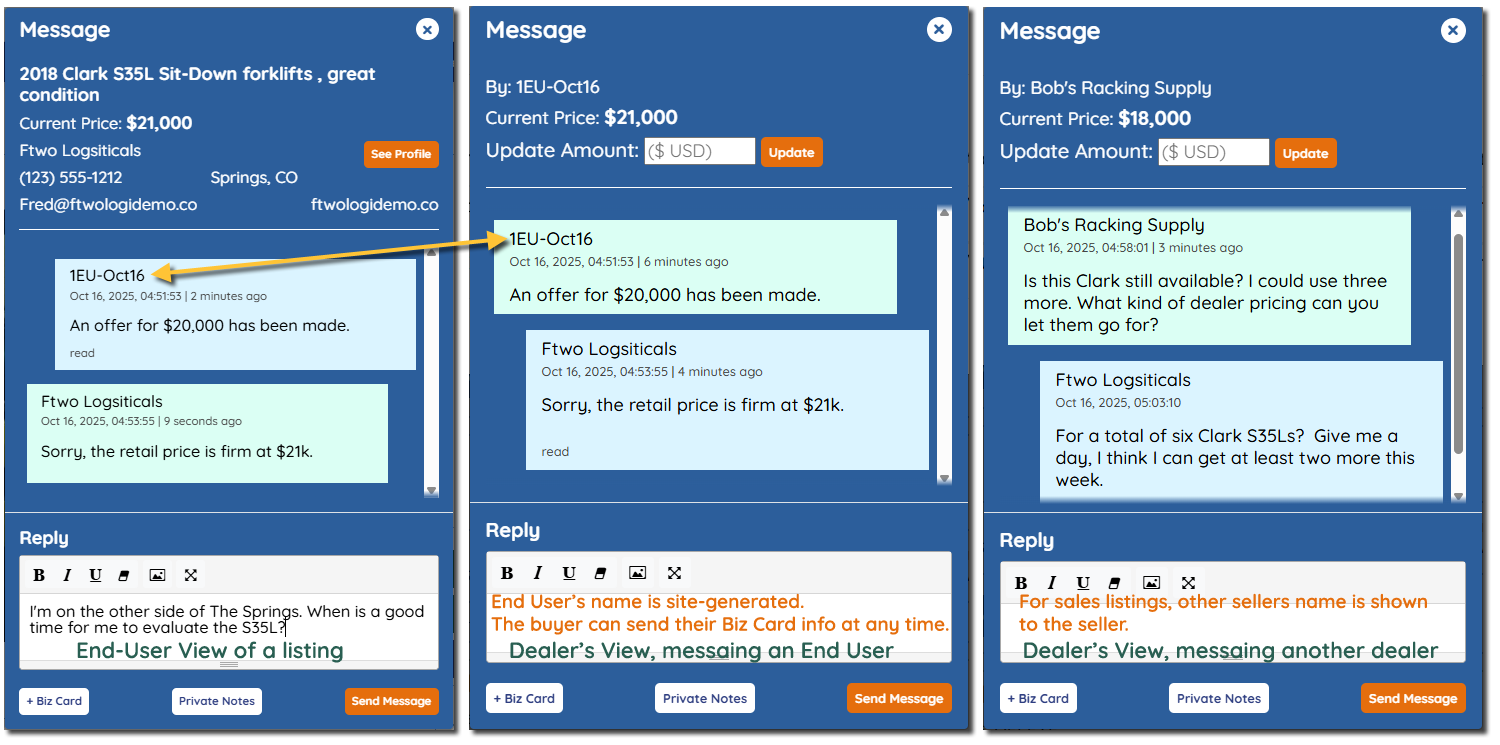
Above are three examples of messaging with the same sales listing.
The member can send a Biz card with their contact info as well as private notes about the transaction which isn't shared with other parties.
Left Messaging example: This is what a buyer sees, in this case, it's an end-user. At the top, you can see the current price of the item and the seller's info. The current price can change specifically for the buyer.
Their End User's real name and info is not displayed. "1EU-Oct16" is an automatically generated handle. The yellow arrow points to the Seller's messaging view. As shown here, the seller's see the generated handle. So, as an end-user, they are aware of how the seller knows them as. Even if the same End user responds to three different sales listings from the same seller, each listing would have a different End user handle.
Middle Example: Seller's view of an End User.
They can see 1EU-Oct16 name. Each end user will have a unique name that tells what date they initiated contact with seller.
The seller can adjust the price of the listing to the buyer during negotiations. The buyer will see that change on their end.
Right Example: Seller's view of a subscribed dealer.
The messaging tool is the same as End-User, but the seller can see the buyer's name as "Bob's Racking Supply" since they, too, are a seller on X-SPLEX.
Above are three examples of messaging with the same sales listing.
The member can send a Biz card with their contact info as well as private notes about the transaction which isn't shared with other parties.
Left Messaging example: This is what a buyer sees, in this case, it's an end-user. At the top, you can see the current price of the item and the seller's info. The current price can change specifically for the buyer.
Their End User's real name and info is not displayed. "1EU-Oct16" is an automatically generated handle. The yellow arrow points to the Seller's messaging view. As shown here, the seller's see the generated handle. So, as an end-user, they are aware of how the seller knows them as. Even if the same End user responds to three different sales listings from the same seller, each listing would have a different End user handle.
Middle Example: Seller's view of an End User.
They can see 1EU-Oct16 name. Each end user will have a unique name that tells what date they initiated contact with seller.
The seller can adjust the price of the listing to the buyer during negotiations. The buyer will see that change on their end.
Right Example: Seller's view of a subscribed dealer.
The messaging tool is the same as End-User, but the seller can see the buyer's name as "Bob's Racking Supply" since they, too, are a seller on X-SPLEX.
If you have any questions, feel free to contact us.
Thanks,
The X-SPLEX Team